We want to be notified if we have any backups that aren't scheduled, specifically any new ones besides our existing list of test jobs. We need to check for backup clients as well as the backup groups they are part of. EMC tells me this isn't possible without spending a lot of money on a very expensive reporting tool (i.e. DPA). We can't spend that kinda money, so that's where scripting comes in.
First we dump the entire Networker database to a file:
and this command creates a text file with all your backup config, including the backup groups and clients and all their settings (i.e. whether enabled, disabled)
This was a great excused for me to learn "Select-String" and how PowerShell does the equivalent of Linux "grep", "split" in place of "cut", etc. I'm plan to add the code for comparing this output to an existing list so only an alert email is sent if there's any differences to the list. And I plan to write the script so you can run it with a "reset" parameter to copy a new baseline list so the email alert isn't sent when approved changes to the list of disabled backups is made.
Linux/Cygwin version:
as I'm still learning PowerShell, I wrote most of the script using Cygwin/Bash first: ______________________________________________ #!/bin/sh
infile=/cygdrive/m/Networker-Config-Export.txt
echo "reporting disabled groups in Networker backup schedule...."
#loop through each backup group name:
group_name=`grep -A 10 " type: NSR group" ${infile} | grep " name: " | grep -v packsize | awk '{print $2}' | tr -d ';' | sort | sort -u`
echo "Autostart Nextstart Group_Name"
for group_n in `echo $group_name`
do
autostart=`grep -A 10 "name: ${group_n};" ${infile} | grep autostart | awk '{print $2}'`
nextstart=`grep -A 10 "name: ${group_n};" ${infile} | grep "next start" | awk '{print $3}'`
if [ "${autostart}" = "Disabled;" ] ; then
echo "${autostart} ${nextstart} ${group_n}"
fi
done
#loop thru all clients, look for disabled:
Usually hosts set their active path correctly from the disk nearest to the host, but sometimes they need help. This script will email any paths on any hosts that are wrong. Assumptions are that you have Site1 and Site2 in the hostnames. PowerPath is the default path selection method, and it reports CL1 for cluster1 and CL2 for cluster2. Hostname pattern is near script (I couldn't get it passed as a variable, let me know if you see how to fix that for us all). ________________________________________________________________ Add-PSSnapin VMware.VimAutomation.Core Connect-VIServer vSphere -User DOM\powercli -Password password -Force # #disConnect-VIServer vSphere -confirm:$false # # #SiteA #SiteA runs on AMP Element MgrA and checks for CL1 $bldghost = "SiteA*" $correctcluster = "CL2" $correctcluster = "CL1" #SiteB #SiteB runs on AMP Element MgrB and checks for CL2 ###$bldghost = "SiteB*" ###$correctcluster = "CL2" $allhosts = Get-VMHost "SiteA*" foreach ($esx in Get-VMHost "SiteA*") { #write-host "$esx is esxhost" ### PowerPath command rpowermt , then grabbing asb:prox and CL1 or CL2 $wrongpath = rpowermt username=root password=password host=$esx display dev=all | out-string -stream | select-string "asb:prox" | out-string -stream | select-string $correctcluster ### if this variable exists, then it means we have a problem & need an email alert if ($wrongpath) { #write-host $wrongpath is wrongpath #write-host vBlock cross connect path wrong for $esx as $bldghost asb:proxy needs to be set to #$wrongpath $wrongpathandesx = " $esx host ================================================================================= $wrongpath " $errormail += $wrongpathandesx $errorcheck += $wrongpath } else { write-host "cluster $correctcluster for active path is correct for asb:proxy cross-connect VPLEX luns on $esx" } } ### get Email info from vCenter $vCenterSettings = Get-View -Id 'OptionManager-VpxSettings' $MailSender1 = $env:computername+'.uk01.apmn.org' $MailSender = "vBlock_AMP_ArrayMgr@$MailSender1" $MailSmtpServer = ($vCenterSettings.Setting | Where-Object { $_.Key -eq "mail.smtp.server"}).Value $MailSendingTo = "email@email.com" #write-host $MailSender1 is MailSender1 and $MailSender is MailSender if ($errorcheck) { #$mailtext = $errormail | Format-List $emailbody2 = "RDP to $MailSender1 as these active paths should be set to $correctcluster and need the rpowermt set path_latency_monitor and set autostandby=reinitialize commands ran from CLI after sVMotioning to the host to create traffic $errormail" $emailbody0 = '<pre>{0}</pre>' -f [System.Net.WebUtility]::HtmlEncode($emailbody2) Send-MailMessage -from $MailSender -to $MailSendingTo -subject "alert: VPLEX cross-connect active paths wrong" -body $emailbody0 -BodyAsHtml -smtpServer $MailSmtpServer } else { $emailbody2 = "cluster $correctcluster for active path is correct for asb:proxy cross-connect VPLEX luns for $bldghost hosts: $allhosts" write-host $emailbody2 Send-MailMessage -from $MailSender -to $MailSendingTo -subject "ok: VPLEX cross-connect active paths good" -body $emailbody2 -smtpServer $MailSmtpServer } disConnect-VIServer vSphere -confirm:$false
Do your vCenter settings get changed when they shouldn't? This script will email an alert when anything has changed.
First you need to run once and it'll create "E:\scripts\PowerCLI\logs\HA-DRS-GetCluster-File.txt" and copy that file to "E:\scripts\PowerCLI\logs\HA-DRS-GetCluster-Baseline.txt".
From then on each time the script runs (schedule in Windows Task Scheduler), a new GetCluster-File is created and compared to the baseline file.
We name our datastores with a three letter prefix which is the same three first letters of our hosts. Folks who create VMs often forget to create the DRS rules so this script can be scheduled to run via Task Scheduler to alert us of VMs that need fixing:
____________________________________
### add snapin so PowerShell runs with PoweCLI features
### test for VMs with running on wrong host according to datastore
if ($emailbody)
{
write-host "These VMs are misconfigured and will fail during an outage of either data center, and they will fail with an outage of the link between data centres. Fix the VMware DRS rule on $MailSender so these VMs run on host and disks in the same data center. These VMs with disks and hosts spanning two locations are at risk of needless loss of service to our customers:
$emailbody"
$emailbody2 = "These VMs are misconfigured and will fail during an outage of either data center, and they will fail with an outage of the link between data centres. Fix the VMware DRS rule on $MailSender so these VMs run on host and disks in the same data center. These VMs with disks and hosts spanning two locations are at risk of needless loss of service to our customers:
You know those friends who aren't the most technical? The ones who you give free IT support because you're the techie friend/family member? Maybe it's your parent or and older neighbour or family friend. Over the years I've built plenty of computers, installing AVG free antivirus software and making registry changes to improve security. I've spent a lot of time re-installing to get rid of bloatware and to try to work around some of Windows flaws that are easiest to circumvent.
Last month it was time to recommend a replacement laptop for one of these friends. Lyn tells me her bulky Windows machine sometimes takes 30 minutes to boot and doesn't last even that long on battery--even though it's only a few years old! I started explaining the benefits of Apple, with my personal stories of genius bar appointments where I walk away with my software/hardware problem solved, either through tuition, software or hardware repair, or even full hardware replacement! I couldn't promise the hardware would last longer than Windows equipment, but I thought the support that you get with Apple products might justify the significantly higher price. But these days there are more choices than bloated Windows or expensive Apple. Ultimately she bought the third choice, the first time I've recommended a Chromebook.
For this comparison, we're not really trying to compete with a high spec laptop. There's no DVD player and not a lot of memory or storage space. But this is a middle ground option--below a less expensive laptop, and above a tablet. Think a tablet with a physical keyboard and USB ports added--although this Chromebook is cheaper than an iPad or iPad Mini. Although my testing has taught me that it's not quite a tablet either. The only Apps that will install seem to be those that run in the Chrome browser, which I'll discuss more later.
Like some laptops, the Chromebook has SD storage instead of spinning disk drive.
I read reviews of this Toshiba Chrombeook and someone complained of a bug where it looses connection to WiFi routers that transmit dual SSIDs, but it's working fine for me.
Ecosystem: If you are a big user of Google for email and especially Google Docs (drive.google.com) and/or an android phone, then you'll connect easily into the Google ecosystem. Similarly, if you are an Apple user then you are likely to try their other products and you'll know they are the best at tempting customers to take advantage of benefits of their ecosystem (Apple iTunes for music/movies, App store purchases, etc.). I bought Apple's office productivity software for one computer and can use it on all my other Apple computers--a different pricing model than anyone else (Microsoft) offers. Microsoft's ecosystem isn't as far reaching but they are trying. Their phones are the weakest link in their product chain. But back to the ecosystem. If you're a Chrome user, and unless you've reduced your security, it's great when you first log into a Chromebook as your usernames (and passwords if you've opted in) are right there remembered for you. As are your URL history, helping you by suggesting the websites before you finish typing their names. Great!
Price: The idea has always been that you have to pay premium price to get the top Apple experience. and that Microsoft is cheaper. But there are so many hardware choices, and my comparison Dell option is more expensive than a Macbook Air with the same amount of SSD storage--though the difference can be explained in part because Dell has twice memory. But, I just noticed the Dell Lattitude option includes the cost of £130 (for Home edition) or £230 (for Office Edition) of Microsoft Office alone! £1290/1400 total. Worth considering you can buy a Chromebook and get working for about the same price as Microsoft Office software alone. This is very complicated. For example, if you buy an HP Pavillion 11 inch from PC World, you can get office for £80.
Security: ChromeOS is based on Linux and gives hardened operating system featuring auto-updating and sandboxing that Google says will reduce malware exposure. Chromebook is designed in a way that means far less security issues. If you don't have any "deal breaker" software locally installed on your laptop, then a Chromebook might be right for you. The only way software is added to a Chromebook is via the Google Play Store, which is more controlled than Apple OSX and Microsoft Windows. It's a balancing act between strengthening security by limiting software versus expanding choices but opening up security risks. At the moment Chromebook is stronger on security by limiting Apps that can be installed to only those that run in the Chrome browser. This may change as they allow Apps from the Google Play app store, as insinuated in the Pixel video clip above. I predict the apps available will increase, which is good for function, but it might be a good idea to allow companies to have lock-down options or security levels to limit/allow this depending on whether security or flexibility are their priority.
Speed & Ease of Setup: I'm writing this sentence less than 5 minutes after turning on the Toshiba CB30-104 for the first time. I connected to WiFi and gave a Google login username/password. That's all--ready to go. I'm ready to work.
Chromebook wasn't designed to run high-end software like Adobe Photoshop, but is meant to compete with lower spec netbooks. However, a quick look at Gimp (the open source Photoshop clone), shows a rich feature set. Seems to work fine, just a little slower as it runs over the internet.
Still, comparing apples and oranges, this Chromebook powered up in 8 seconds, login and loading my 10 browser tabs took longer, an additional 40 seconds. My high-spec work laptop took 14 seconds to boot to Windows and 30 seconds to login and bring up the same browser sessions.
Hardware & Build Quality: Keyboard & Mouse feels fine at first. The plastic case feels noticeably cheaper than what I'm used to from Apple and Dell, but so far it's working very nicely and it's not bad. After a while I miss my premium keyboard on my Mac and I do have some frustrations with the mouse getting a bit confused and slowing me down a bit. I'd use that external mouse if I was working for more than an hour or so--easy workaround. I carried the device for about 15 minutes and noticed a few ways of carrying it the plastic case gave a little, but I wouldn't expect it to crack unless I was really careless.
The battery reports over six hours of life, and I got 5 hours of light to moderate use and still had 39% and 3 1/2 hours remaining! That's very good in my view.
Working Offline: Apple is either annoying or brave to be the first to reduce and remove ports, floppy drives, DVD drives from their Mac devices. Similarly the concept of a Chromebook limits you to do everything on your web browser, which means you can't do much without internet access. That's may seem silly but I think it's a brave idea. Of course, we still want to work offline. The best solution is to buy your Chromebook with a 3G plan so it can connect like your smartphone does when no WiFi is available. Alternatively, I've tethered my Chromebook with my phone's 3G in about a minute and I'm typing this now using the 3G connection just fine.
Microsoft Office Offline
Office365
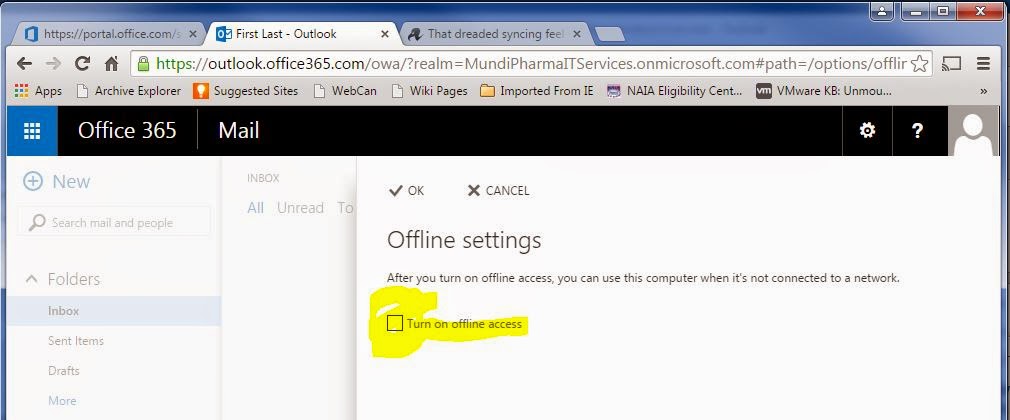
Office was a huge failure offline. The official Office 365 blurb says you need a PC or Mac and the client software installed. Then offline it claims to give three days worth of items, or 150 messages, which ever is larger. Attachments do not open while offline and up to 20 folders are sync'ed. Search is not supported either.
Again, with the free versions, Word, Excel and Powerpoint gave an error message indicating loss of connection to the server not long after disconnecting WiFi on the Chromebook and froze.
The web software was useless and I couldn't make changes or more around the software at all. The only exception was OneNote collaborative software which I'd never noticed, definitely not heard of anyone using..
Google Mail
I created a few Gmail test emails while offline. Then searched and viewed some fairly old emails too. Plus sent an email while offline and can confirm it was automatically sent once Chromebook reconnected to WiFi.
I've not put a lot of time into testing this because I usually have internet at home or the office or a cafe or the airport (and can even get it on a plane these days).
It's easy to find out how to change things or learn about settings on your Chromebook. Printing is easy enough to setup at home too. It took less than 2 minutes.
Pros'
Setup and ready to use faster than any computer I've used.
I plugged in the nearest mouse and keyboard, and it's working without a missing a beat (no popups about installing drivers, just plugged and played).
Websites I've tested to make sure Flash/Silverlight works ok:
Netflix, Amazon Prime Instant Video, YouTube, Google Play, Google Play Music
Con's
No Visio, though Outlook, Word, Excel, PowerPoint and OneNote are all there via OneDrive online.
HDMI port for external display, rather than the usual 15 pin VGA or the newer standard I'm seeing on Dell and Mac.
No Skype! I use it on my Apple OSX, IOS devices as well as Windows PCs and Window Lumia smartphones, so this is really unfortunate. Of course you can use Google hangouts, but to give your granny a Chromebook then tell her she needs to convince her grand-kids to change from Skype is unfortunate.
There's plenty of advanced settings that you have to live without that super users take for granted on Mac/PC tablet, but they're really not that important. If you can't do without things like controlling what your laptop does when you close the screen (power-save mode is default), how long it runs before automatically sleeping, etc., then you need a more expensive laptop rather than this web and app launcher.
Screen Display: Here's a few photos of images displayed on the screens of a £170 Chromebook on the right and a £800 MacBook Air on the left. Can you see the difference? Is the difference worth the cost? I did a non scientific experiment posting this on Facebook and the few people who voted seemed to notice a small advantage on the more expensive Macbook, but even my son who has a very good eye for this kind of thing had to admit the difference wasn't large.
Chromebook
Toshiba
CB30-104
Windows
Dell Lattitude
14-7000
Apple OSX
MacBook Air
price
£169
£1290
£850
security
best
viruses
2nd best
features
android
app store
touchscreen
bloatware
runs most
software
premier
ecosystem
Google
best for
G-Drive/Gmail
Microsoft
best for
Office/Outlook
Apple
Office Suite
or MS Office
best for iPhone
build
quality
depends
on price
depends
on price
depends
on price
screen
13.3
14
13.3
SSD
storage
16 Gb
+128 Gb
via SD
256 Gb
128 Gb
RAM
4 Gb
8 Gb
4 Gb
remote
working
fair
integration
with
Windows
best
integration
with Windows
2nd best
integration
withWindows
Windows You can install anything you can think of from small business finance software to video and audio editing to code compilers for students learning computer programming at university. Mac offers all of these categories, but sometimes not as many choices. Windows is strongest in workplaces (Microsoft Office) and gaming and it's always been a safe bet for most computing needs. Lately the viruses and bloatware forced on users as a way to push advertising or try to sell software has become a high price to pay to reduce the initial cost of the laptop. This along with virus and antivirus hassles are both big reasons to consider ChromeBook.
The Mac can install most kinds of software that Windows offers, but doesn't give the options for the serious gamer or a few other niche users. Not everyone knows how to use a Mac, but people who try them usually are more than happy with the differences. Although opinions differ, Mac is the Mercedes/BMW/Cadillac of personal computing. Plenty of people really cherish their Apple products. They are designed to be things of beauty instead of inexpensive tools. Mac has always been the strongest presence in the creative pursuits: music creation, film making, graphics design, photography, publishing, etc. Note that you can still buy Microsoft Office for Mac and I can attest that it works great on Mac.
Chromebook is taking advantage of a fairly fundamental change that's happening right now in the way we do computing. For example, a small charity I know used to install SAGE finance accounting software on a Windows computer but now has switched to a service which hosts a better solution on their website. It links to our bank account and even guesses which budget code to assign each expense based on what's been assigned already. Plus it does much better reports than the old software installed on our PCs did. So this is an ideal example of when a Chromebook wins. We can run all of our charity's finances from a web browser, so we just use an inexpensive Chromebook! No software to install, license, configure, backup, upgrade, etc. Same with email. No need for MS Outlook client to be installed or configured, just use the web interface for Gmail (Google) or Hotmail (Microsoft) or Yahoo, or your choice. Same with word processing, spreadsheets or presentation software like PowerPoint. If you can do what you need with the online version (Microsoft or Google) then you don't need to install it, and might not need that old fashioned PC at all. The benefit is quicker setup, easier and cheaper to maintain and support.
As more and more of our computing is done in the cloud, a beefier Chromebook like the Chrome Pixel makes sense aimed at users of high end laptop like the MacBook Air.
Sample Screenshots
Summary: As usual, whether this is right for you depends on what you need. The cost savings and security of a Chromebook are perfect for someone who doesn't use their computer for advanced or niche purposes. Employees might be able to use a Chromebook if enough of the software is located on servers or a remote solution like VDI is available. As time goes by more and more laptop users will be able to work with an inexpensive device that boots super quick and is very simple, secure and less expensive to maintain.
I'm not a professional reviewer, but I've used iPhones and Android and I use them fairly extensively (podcasts, audiobooks, social media publishing, etc.)
(^; Charges when plugged into Mac OSX via it's USB cable
)^; How do you find your own phone number? No idea. Googled it and the suggestions I found are not correct for this handset/service provider. Gave up and called another phone from the Lumia and looked at the caller-id to get it. Silly. This helpful chap showed me exactly where to go, but there's nothing there.
Keyboard
Better than the Android keyboard on the Samsung Galaxy S4. I've added the Swype one on my Android, but it's still not as good as Apple's IOS built in keyboard. This Lumina/Windows
Placement of the @ key and the Num key and Caps are pretty smart. The touch response is good too, giving a little vibration feedback so you know when it's realised you've pressed a key. So, it's as good as IOS, very good indeed.
Screen: The image quality is very good, bright clear images with good colors.
Icons
Had to learn a new icon, the logo for "send" or "apply" or "ok" which looks like an email icon with motion lines at the side to make it look like it's to send. Not too bad, mostly intuitive, but don't expect too many new icons to learn these days. I thought they used this for posting on BaseFook as well as sending emails, universal and all. But, no, there's another new icon to learn for "share". Social media and gadgets have been around long enough for them to avoid making new symbols for existing functions. It's companies ways to try to mark out their own influence but it's confusing and rarely works.
Screenshotsare always important to me to be able to do quickly and easily. The Samsung Galaxy uses the swipe motion gimmick, which doesn't always work, but is ok mostly, while the IOS equivalent is similar to this Nokia Lumina--press and hold two physical buttons. On this Nokia it's the power button and the volume-up button.
send icon
share icon
Speaking of physical buttons, the having three spread out all along the right side means it's almost impossible to put this handset in a car holder so you can use the GPS for navigating. While traveling and using the SatNav, the camera randomly activates, the volume goes up or down, or the phone gets sent into power save mode. Not clever.
Camera I'm not a photographer, but counted almost 8 seconds between pressing the button and the camera being loaded and ready to go. That's too slow to avoid missing those important shots! Apps: When I switched from IOS to Android, I first made a list of my priority apps to see if I could swap them over. Runkeeper, iPlayer, Amazon Cloud Player, Amazon, Dropbox, SoundCloud, Gmail, Google Maps, Google Docs, Password Manager, Kindle, Audible. They were all there, even streaming Amazon Instant Video right there from my Android device. Here's my list including the Windows Phone:
Apple IOS iPhone 4S
Google Android Samsung Galaxy S4
Windows 8.1 Lumia
Facebook
no problems
no problems
crashes occasionally
navigation
Google Maps
works well
hangs GPS
works very well
Runkeeper
works well
works well
not available!
Skype
works well
Amazon
works well
does not include Amazon Instant Video Player
Amazon
MP3 Player
not tested
works well
not available!
DropBox
works well
works well
Doesn't sync, this or anything else, until plugged into USB connection
Audible
works well
works well
buggy! doesn't work
SoundCloud
works well
works well
not available for recording/posting or streaming
As an example, I downloaded Audible and signed in and downloaded a book. Started listening--so far so good. Then I stopped the app and when I came back to it later the eBook would not play. I restarted the handset, uninstalled the App, reinstalled the App and re-downloaded the eBook--no go. Downloaded a different book, listened to it then tried switching to my original eBook--no go again. I still haven't figured out how to get my eBook to play again.
In Short
In summary, the look and feel of the software interface is good. The glass face is solid and it feels well made. But the reliability and lack of choices and features of the Apps combines with other weaknesses to show that this phone is only to be recommended for the most basic smartphone user who is happy with all the drawbacks to get the reduced cost.
Symptoms: Adding more than 2 luns caused hostd to disconnect hosts from vCenter. Underlying issue is storage related.
We learned a lot about the PowerPath Adaptive policy (autostandby and proximity) but the fix for our problem was to upgrade PowerPath on our hosts. Seems there's a VMware bug that shows when too many paths are presented for a disk. Until VMware fixes the issue, taking PowerPath Version 5.9 SP 1 (build 11) to Version 5.9 SP 1 P 02 (build 54) stops our headaches.
The problem shows on our cross connect VPLEX, but it seems it's the number of paths to the storage rather than whether it's cross connect or not.
Still need to confirm this is the smoking gun, as their kbase article mentions APD and I haven't seen that. But out internal testing looks pretty good. We were reproducing the issue on demand in a test cluster with only two ESXi hosts (no VMs) and with less than 10 distributed volumes (VPLEX luns).
Got this from EMC:
Article Number:000190540 Version:7
Key Information
Audience: Level 30 = Customers Article Type: Break Fix
Last Published: Thu Nov 20 19:18:35 GMT 2014 Validation Status: Final Approved
Summary: ESXi host becomes unresponsive after adding or removing LUNs.
Impact ESXi host becomes unresponsive after adding or removing LUNs.
ESXi host has to be rebooted.
ESXi host cannot be managed in vSphere.
Issue Adding or removing LUNs on an ESXi host and rescanning storage can cause the host to stop responding in the management GUI.
The host becomes unmanageable and must be rebooted to restore management abilities.
Virtual machines continue to run normally, even though the ESXi host is not responding.
The hostd Daemon is a management daemon and it stops responding.
All paths down messages will sometimes be seen in the host logs just before the host stops responding.
Environment System: VMware ESXi 5.1
System: VMware ESXi 5.5
EMC SW: PowerPath/VE for VMware 5.9.1
Cause A bug in NMP contributes to a bug in PowerPath causing the host to leave a device in an All Paths Down state.
While the device is in All Paths Down it will continue to consume resources until the hostd daemon cannot start any new management threads.
When this happens the host becomes unresponsive because the hostd daemon cannot respond to managment requests.
Change Adding or removing a LUN to an ESXi host or cluster.
Resolution Solution:
Upgrade PowerPath to version 5.9 SP1 P02 (5.9.1.2) or later.
Workaround:
Once the host has stopped responding there are two options to bring it back. You can try undoing the storage change that triggered the host to become unresponsive, or you can reboot the host.
The VM's are still running normally, so they can be gracefully shut down. Because the host is not responding you will not be able to vMotion virtual machines to another host.
This problem is partially triggered by the presence of an ACLX or LUNZ device.
Removing these devices will greatly reduce the chances of the host going unresponsive.
Symmetrix: Unmap any ACLX devices from the FA's that the ESXi hosts are zoned to.
CLARiiON / VNX: Add a real LUN as lun 0 into the storage group and then reboot the ESXi host.
Place hosts in maintenance mode before adding or removing LUNs, so that they can be rebooted without affecting production if it is needed.
Notes This issue is seen with Symmetrix, VNX, CLARiiON and VPLEX arrays. There is a separate OPT for this issue when seen with VPLEX arrays.
The kernel.log from the ESXi host may show evidence of entering and exiting an All Paths Down state similar to this:
cpu4:16629)ScsiDevice: 4108: Setting Device naa.60000970000298701034533030333844 state back to 0x2
cpu4:16629)ScsiDevice: 6121: No Handlers registered!
cpu4:16629)ScsiDevice: 4126: Device naa.60000970000298701034533030333844 is Out of APD; token num:1
cpu4:16629)StorageApdHandler: 277: APD Timer killed for ident [naa.60000970000298701034533030333844]
cpu4:16629)StorageApdHandler: 402: Device or filesystem with identifier [naa.60000970000298701034533030333844] has exited the All Paths Down state.
Attachments
Article Metadata
Product PowerPath/VE for VMware5.9 SP1
Operating System VMware ESX Server
Requested Publish Date 8/1/2014 1:11 PM